The
design I'm following was drawn up as a schematic by 6L6 on the Art of
Sound Forum. I had to turn it into a track layout and photo positive
artwork, the black areas on the design will be the copper tracks, the
clear sections will be etched away. There are numerous pieces of
free design software for PCB's but they all have a steep learning curve
and for the very occasional user, are not really suitable as you will
forget how to use it before its needed again. For this very simple
track layout I just used Corel Draw. I first considered using the laser thermal transfer system to produce the boards, various sources recond this is ok
for a crude PCB with wide tracks, but it's not accurate or reliable enough for
such fine work. I decided to use UV sensitive pre coated boards, hence the need for the UV exposure unit.
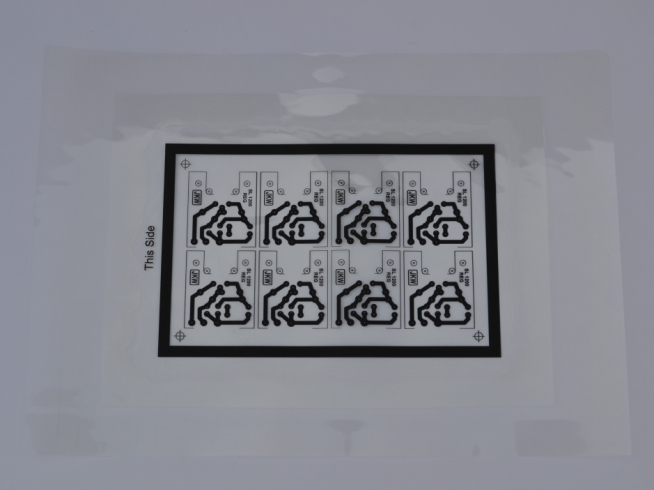
This is the
artwork for it, I
printed two copies onto overhead projection sheets using a laser
printer. My printer is just a cheap Mono unit with max resolution of
1200dpi if you can print at 2400dpi this is better and less likely to
let UV light between the mesh of dots. You can also use an inkjet
printer but will need special sheets to print on. These suffer less
from meshing as the dots spread out when they hit the film and tend to
merge.The two prints were laid one on top of the other and glued
together around the edges, this was to make certain the tracks were solid enough
for the light not to penetrate. I can fit 8 of these small PCB's on a
100 x 160mm board.
|
 |